
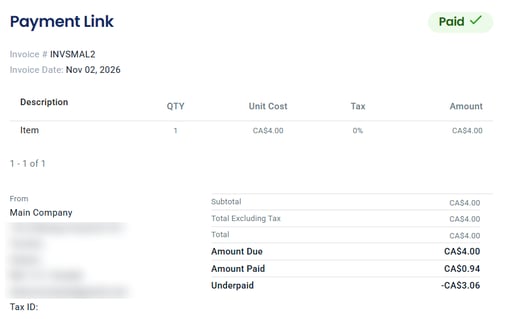
Underpayment
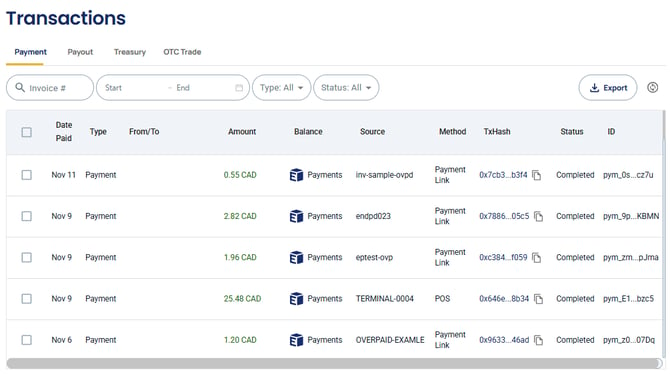
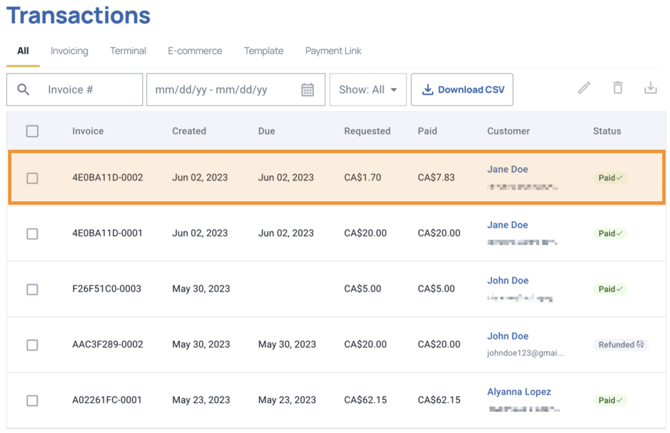
- Upon log in, go to Transactions and select the transaction needed to be resolved.

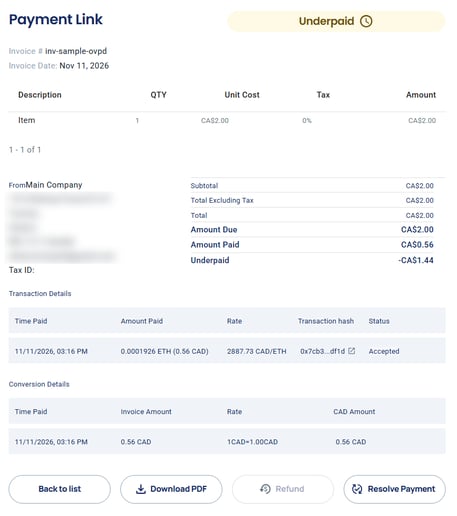
- On the invoice page of the transaction, click Resolve Payment.
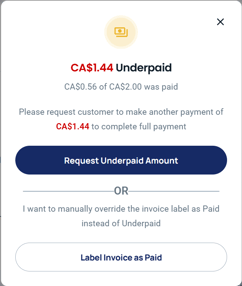
- Merchants can click Request Underpaid Amount to ask the customer for the remaining balance, or Label Invoice as Paid to mark the invoice as Paid without collecting the rest.
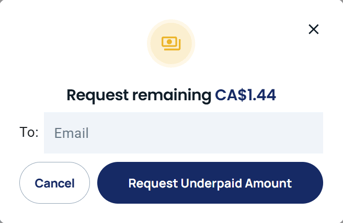
 Choosing "Request Underpaid Amount", a window prompt should appear requesting a valid email address where the new payment link is to be sent.
- Once the remaining amount is paid, or the invoice is labelled as paid, its status changes from Underpaid to Paid.
Customer should receive an email containing a new invoice with complete breakdown of the initial payment and the underpaid amount together with a new payment link that exists as "Pay Amount Owed".
Overpayment
- Similarly to underpayment, go to Transactions and select the overpaid invoice and from the invoice page click Resolve Payment. Note: Resolve Payment may stay greyed out when the overpaid amount is small.
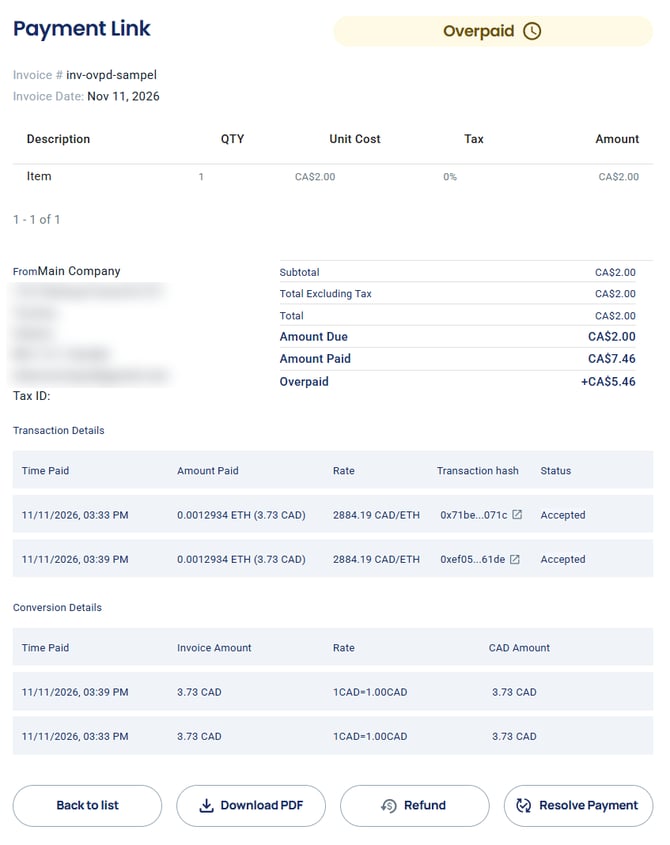
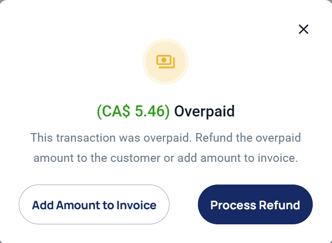
- Merchants can click Process Refund to return the overpaid amount to the customer, or Add Amount to Invoice.
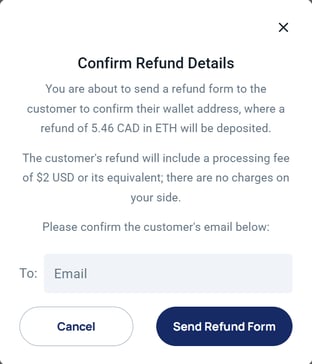
- If you click Process Refund, enter the customer's email and click Send Refund Form. The customer's refund includes a processing fee of $2 USD or its equivalent; there are no charges on your side.
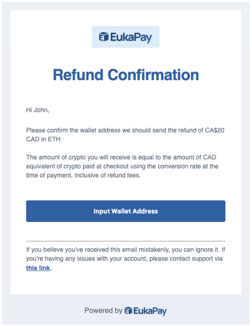
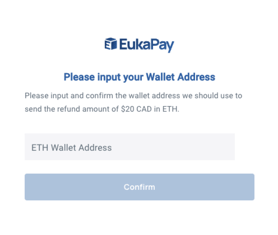
Customer should receive an email containing a link for them to enter the return wallet address for the refund. After confirming the wallet address, a processing window will prompt.
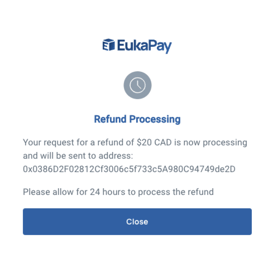
- Once the customer submits the return wallet address and refund processing is successful, it will reflect back on the Transactions table having a status from "Overpaid" to "Paid".
If you have other questions and/or clarifications you can contact us by submitting a ticket on our support page here or send us an email directly at support@eukapay.com.