
Underpaid
- When a customer underpays, the payment page shows Partial Payment Received with the amount still owed.
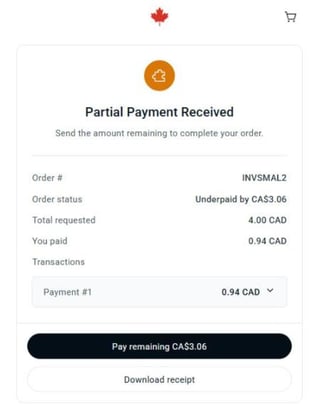
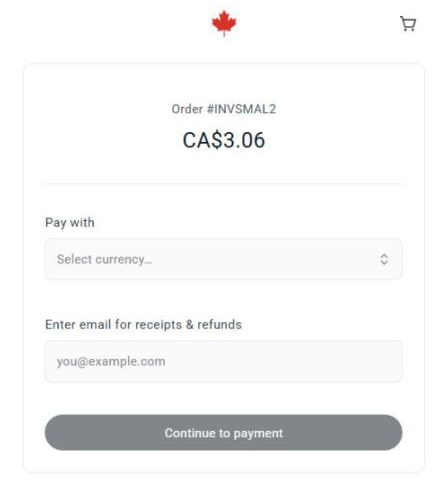
- Click Pay remaining CA$X, choose a currency, enter an email and click Continue to payment, then complete the payment as usual.
Overpaid
- When a customer overpays, the payment page shows Overpaid Order, and the merchant is notified by email.
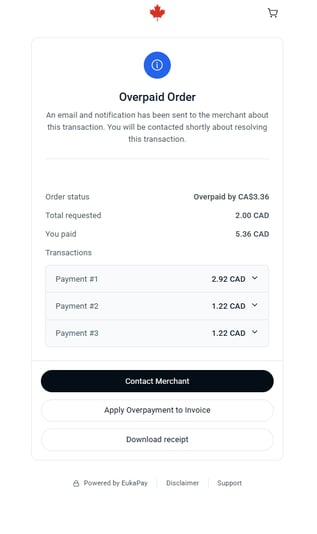
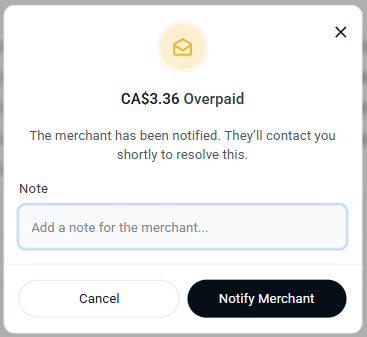
- To ask for a refund, click Contact Merchant, add an optional note and click Notify Merchant. The customer can also choose Apply Overpayment to Invoice.
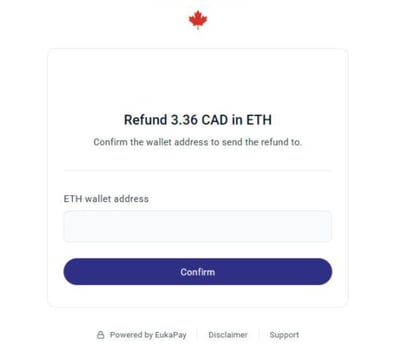
- If the merchant processes a refund, the customer receives an email with a refund link. On that page, enter a wallet address for the coin shown and click Confirm.
If you have other questions and/or clarifications you can contact us by submitting a ticket on our support page here or send us an email directly at support@eukapay.com.