
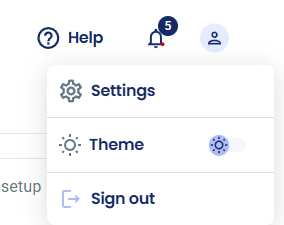
You can add e-Transfer details to your EukaPay account in Settings. First let's open the Settings using the top-right dropdown menu.
- Login to your EukaPay account, then select Settings from the top right on your screen.
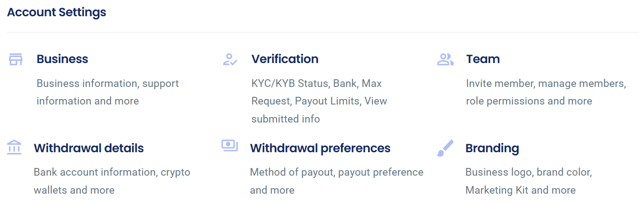
- On the Settings page, under Account Settings, select Withdrawal details. In the INTERAC e-Transfer section, click Edit, fill in Account Holder, Account Email, Security Question and Security Answer, then click Save.

*Note: Save your INTERAC e-Transfer details first. INTERAC e-Transfer only shows up as a withdraw method after that. - Go back to Settings and, under Account Settings, open Withdrawal preferences.
- Click Edit, choose Batched auto-withdrawal, set Withdraw Type to Cash, then pick INTERAC e-Transfer under Withdraw Method.
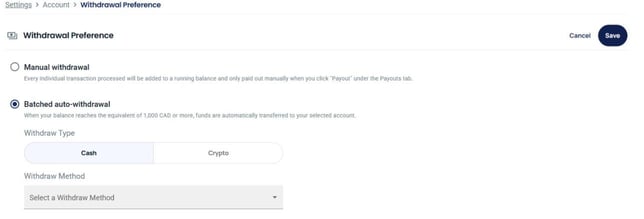
- Click Save.