
Click your profile icon at the top right and select Settings.

On the Settings page, under Payment Settings, click Tolerances and fees.

On the Tolerances & Fees page, click Edit next to Transaction tolerances.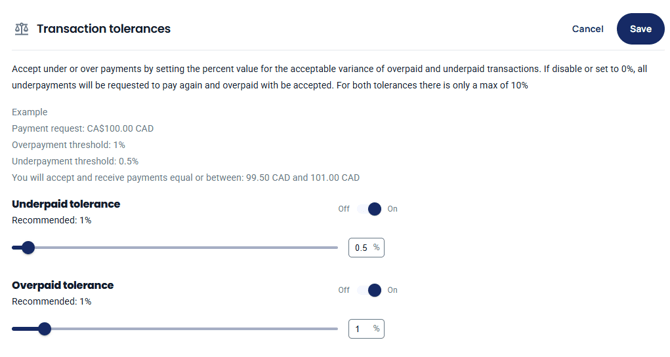
Turn on Underpaid tolerance and/or Overpaid tolerance, set the percentage with the slider or the box, then click Save.
How the transaction tolerances setting works is that it allows merchants to accept under/over payments by setting the percent value for the acceptable variance of overpaid and underpaid transactions. If disabled or set to 0%, all underpayments will be requested to pay again, and overpaid will be accepted. For both tolerances, there is only a max of 10%. An example of this is if a product is $100.00 with the tolerance for underpay is set to 2%, while the overpay is set to 5%. Then the transaction will be considered paid if a customer pays equal or between $98.00 and $105.00.